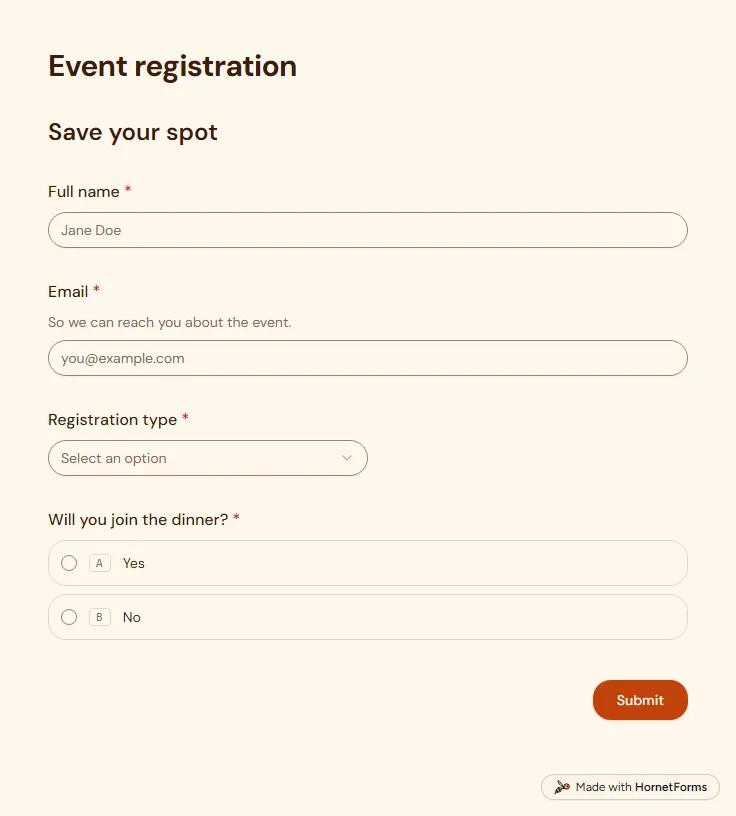
Event registration form template (free)
A free event registration form that collects names, emails, ticket type and dinner choices, with dietary needs asked only when they apply.
5 questions on one page
Launch week: 50% off Pro and Business with code LAUNCH50, while spots last. See pricing
Group chats make a poor guest list. Replies get buried, someone answers with a thumbs up, and you still don't know who is coming. This RSVP form template keeps it simple. Guests give their name and answer one question: will you attend? A yes takes them to a second page, where they say how many people they are bringing and add anything you should know, like a food allergy or a need for a seat near the door. A no ends the form right there, so people who can't come never answer questions that don't matter to them. Sign up for free, open the template in your workspace and change the wording to fit your event.
Free plan, free forever. Sign up and the template opens in your workspace.
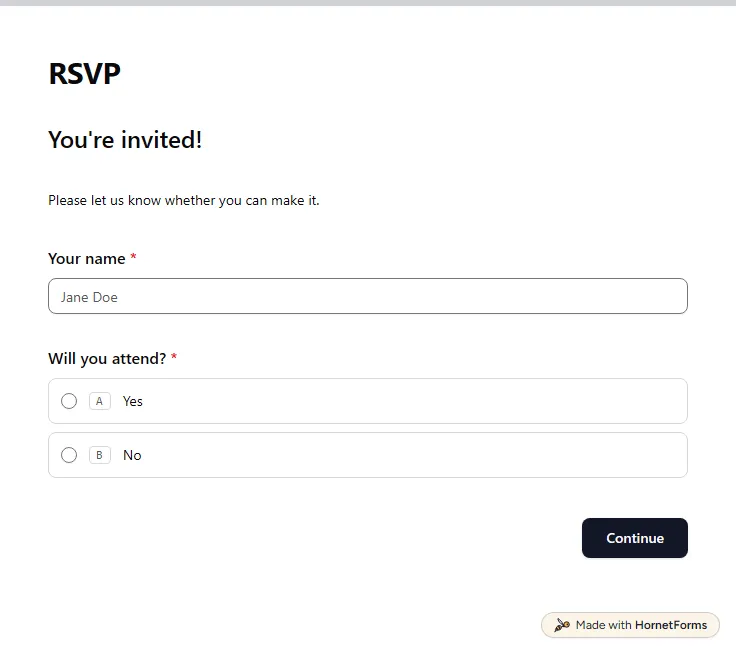
4 questions on 2 pages. Every question, in order:
| No. | Question | Answer type | Required? |
|---|---|---|---|
| 1 | Your nameShort answer, Required | Short answer | Required |
| 2 | Will you attend?Multiple choice, RequiredChoices: Yes, No | Multiple choice | Required |
| No. | Question | Answer type | Required? |
|---|---|---|---|
| 3 | Number of guestsNumber, OptionalNot counting yourself. | Number | Optional |
| 4 | Anything we should know?Long answer, Optional | Long answer | Optional |
Thanks for letting us know!
Your RSVP has been recorded.
Every response lands in your HornetForms inbox. From there, send it wherever your team already works.
It ends right after they pick No. The form skips the guest details page and shows a thank-you message instead, so they answer two questions at most. You still get their name and their no, which is useful when you want to know who has replied.
It counts the people a guest brings, not the guest. The question says not counting yourself, so a reply of 2 means three people at the table. Add the guest to the total when you plan seating or catering.
Yes. The second page has an open question for anything you should know, and guests can write about allergies, access needs or a plus one's name there. If you want tidy counts, add a checkbox question with your menu options and the totals will sort cleanly.
No. Anyone with the link can reply on a phone or laptop without signing in. Share the link in a message, add it to an email invitation or print its QR code on the invitation card.
A free event registration form that collects names, emails, ticket type and dinner choices, with dietary needs asked only when they apply.
5 questions on one page
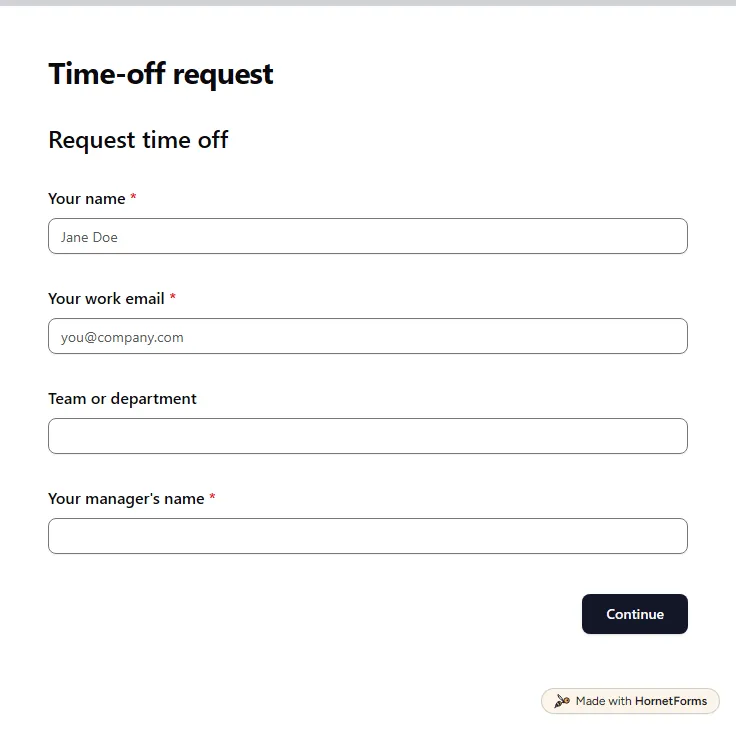
A free time off request form for PTO, vacation, sick days and half days. Staff send it from any phone, and you get each request by email.
15 questions on 3 pages
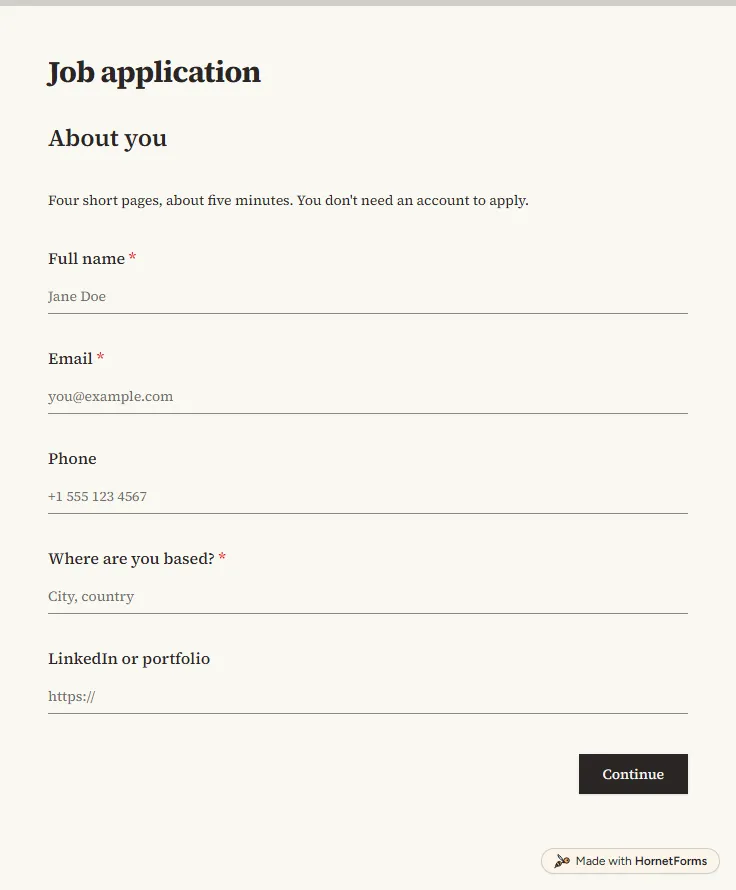
A free job application form with CV upload, screening questions and a job board tracker. Candidates apply from any phone, with no account needed.
17 questions on 4 pages
Set up a free online RSVP for a party, baby shower, graduation or work event: what to ask, how to share the link, when to close it and what to write.
A free RSVP tracker for Excel and Google Sheets: guest codes, party size, headcount, meals and plus-ones, filled from your form replies or typed by hand.
Make a free RSVP QR code from your reply form, print it with the right card wording, and track every household. Includes printable cards and a tracker.
Sign up for free, pick a template and change anything you like: questions, logic and design. The Free plan stays free forever, with unlimited responses.