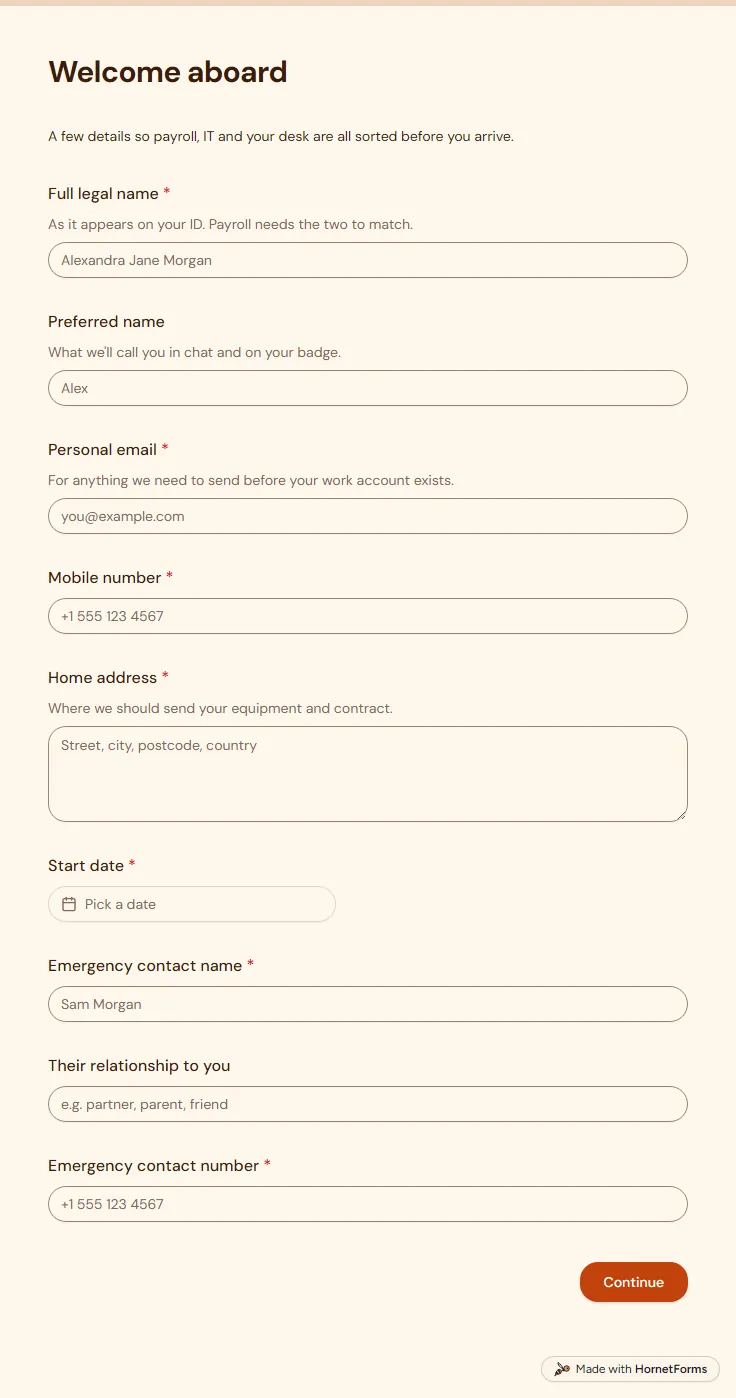
New employee information form (free template)
A free new employee information form for new starters: contact details, emergency contact, start date, laptop and desk kit, sent before day one.
17 questions on 2 pages
Launch week: 50% off Pro and Business with code LAUNCH50, while spots last. See pricing
A review meeting goes better when both people walk in with notes. This self evaluation form gives each employee one page to reflect before they sit down with their manager. They name what they are proudest of this cycle and what went less well, then rate themselves on delivery, collaboration, communication, ownership and craft. They set goals for the next cycle and say what support they need. Two short follow-ups appear only when needed: a question about career direction if they want to talk about progression, and a question about what to take off their plate if their workload feels heavy. Sign up for free and share the link a week before reviews start.
Free plan, free forever. Sign up and the template opens in your workspace.
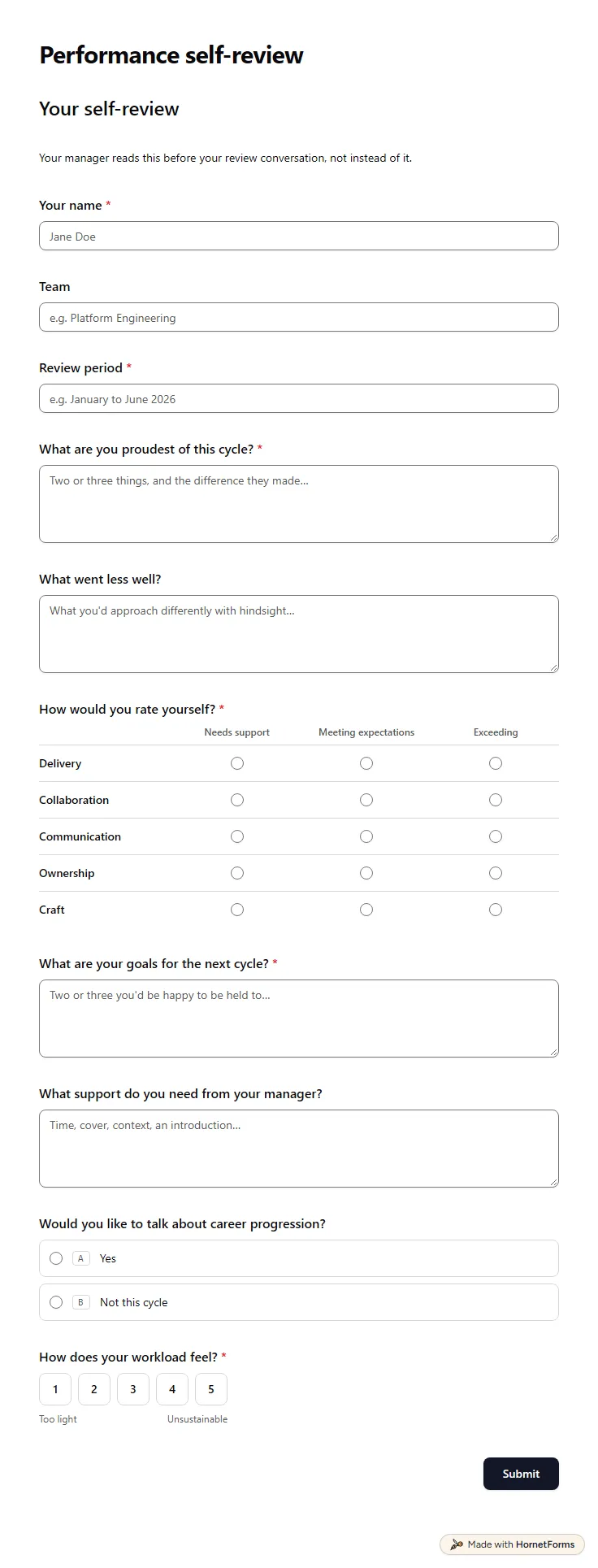
12 questions on one page. Every question, in order:
| No. | Question | Answer type | Required? |
|---|---|---|---|
| 1 | Your nameShort answer, Required | Short answer | Required |
| 2 | TeamShort answer, Optional | Short answer | Optional |
| 3 | Review periodShort answer, Required | Short answer | Required |
| 4 | What are you proudest of this cycle?Long answer, Required | Long answer | Required |
| 5 | What went less well?Long answer, Optional | Long answer | Optional |
| 6 | How would you rate yourself?Matrix, RequiredChoices: Needs support, Meeting expectations, ExceedingRows: Delivery, Collaboration, Communication, Ownership, Craft | Matrix | Required |
| 7 | What are your goals for the next cycle?Long answer, Required | Long answer | Required |
| 8 | What support do you need from your manager?Long answer, Optional | Long answer | Optional |
| 9 | Would you like to talk about career progression?Multiple choice, OptionalChoices: Yes, Not this cycle | Multiple choice | Optional |
| 10 | Which direction interests you?Long answer, OptionalDeeper in your craft, wider scope, management, a different team: all fair game. | Long answer | Optional |
| 11 | How does your workload feel?Linear scale, RequiredScale of 1 to 5 (Too light to Unsustainable) | Linear scale | Required |
| 12 | What would you take off your plate?Long answer, OptionalWhat could move, pause or go to someone else. | Long answer | Optional |
Review submitted
Thanks for the thought you put into this. Your manager will set up time to talk it through.
The same questions, ready to print or edit.
Every response lands in your HornetForms inbox. From there, send it wherever your team already works.
Specific examples beat adjectives. Name one or two pieces of work you are proud of and what you did, one thing that went less well and what you learned, your goals for the next cycle and the help you need to reach them.
The template uses three plain levels for each skill: needs support, meeting expectations and exceeding. Fewer steps make honest answers easier, and the manager can ask about any rating that surprises them in the meeting.
Yes. Download it as a PDF for US Letter or A4, or as a Word file you can edit. Some people like to draft their answers on paper first and then fill in the online form.
Keep it to one page that takes 20 to 30 minutes. Mix a few open questions about wins, setbacks and goals with a short rating grid, so you get both stories and something you can compare across the team and from one cycle to the next.
A free new employee information form for new starters: contact details, emergency contact, start date, laptop and desk kit, sent before day one.
17 questions on 2 pages
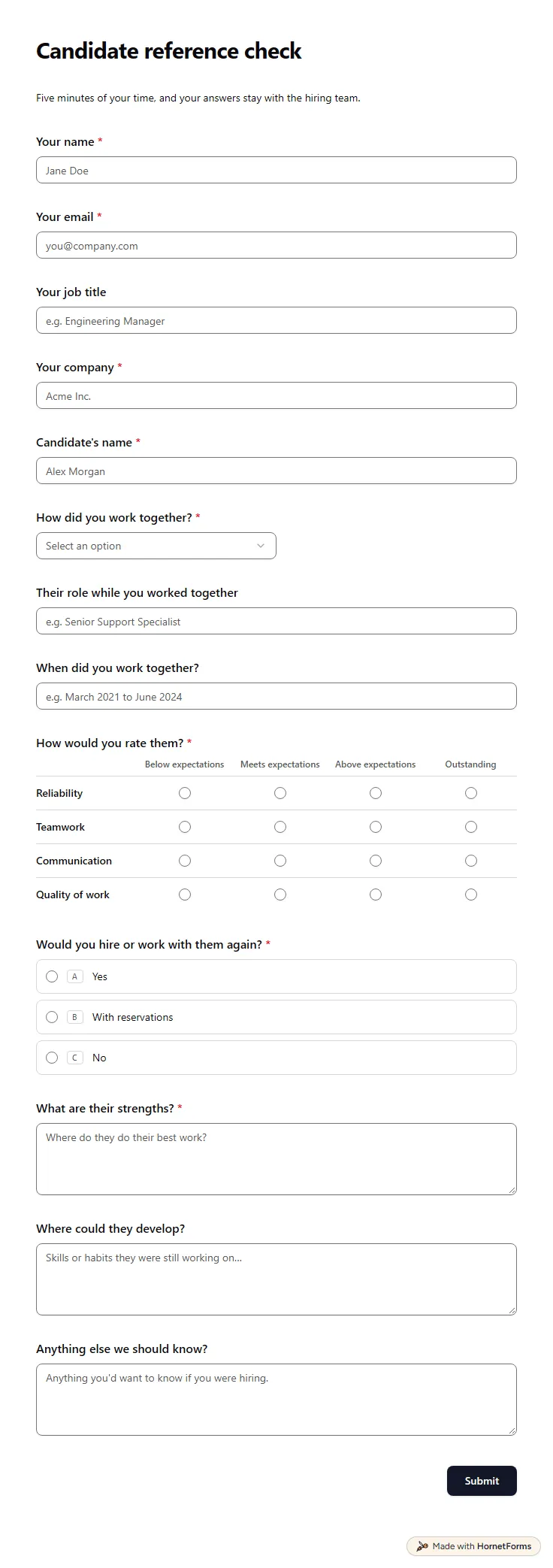
A free reference check form referees fill in on their phone: how they worked with the candidate, four ratings, strengths and a hire-again question.
14 questions on one page
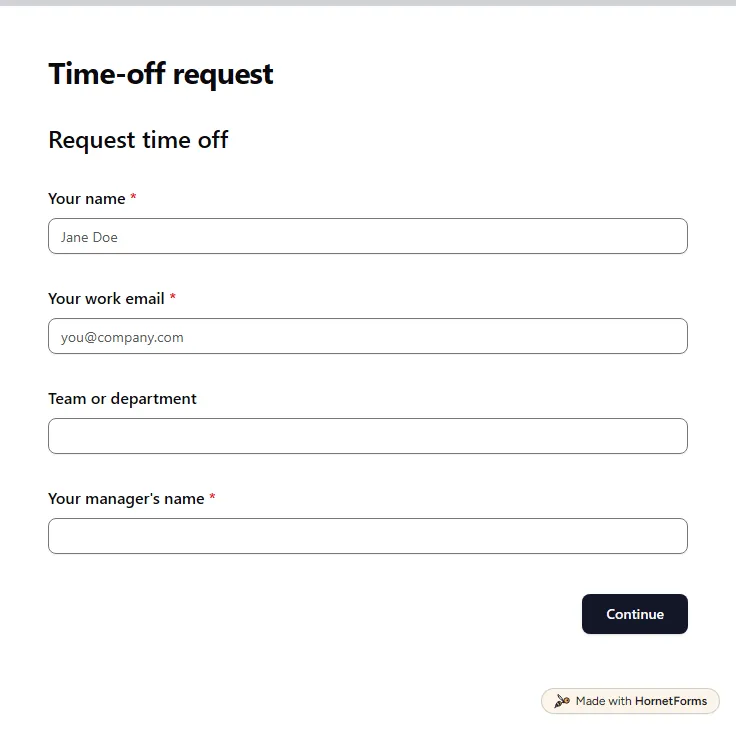
A free time off request form for PTO, vacation, sick days and half days. Staff send it from any phone, and you get each request by email.
15 questions on 3 pages
A plain new hire onboarding process for small teams: what to do before day one, in week one and at 30, 60 and 90 days, with a free checklist sheet.
A free onboarding plan template for new hires: what to do before day one and at 30, 60 and 90 days, with check-in questions, an Excel sheet and a Word file.
Sign up for free, pick a template and change anything you like: questions, logic and design. The Free plan stays free forever, with unlimited responses.