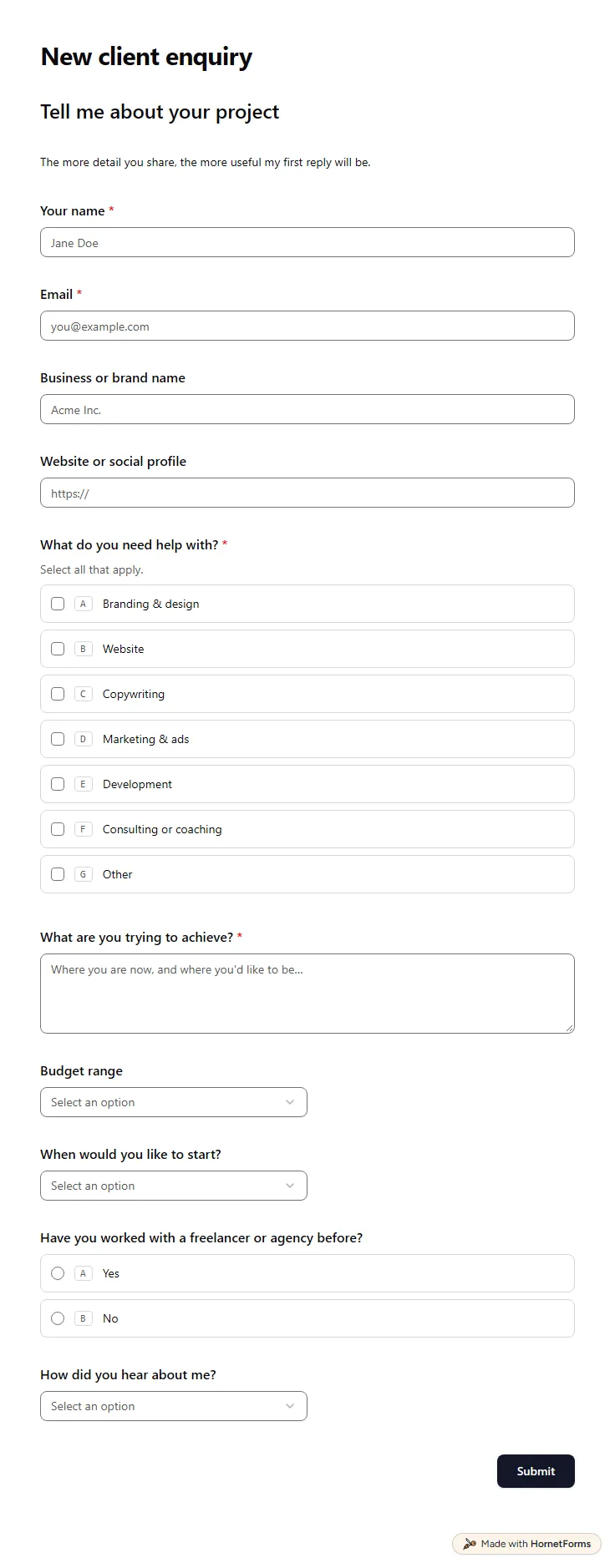
Client intake form template (free)
A free client intake form for freelancers and agencies. Ask about scope, budget, timeline and past experience before the first call.
11 questions on one page
Launch week: 50% off Pro and Business with code LAUNCH50, while spots last. See pricing
A signed contract tells you the price. It rarely tells you what the client pictures, who has the final say or where the logo files live. This project brief template collects all of that in one link you send the day the work is agreed. Page one covers the project itself: a name, what you're building and why now, what success looks like, the deliverables, the audience and an example the client likes. Page two covers the practical side: a main contact and their email, the person who signs off on the final work, a target launch date, a budget and an upload for brand assets. You start the job with one complete brief instead of a week of follow-up emails. Sign up for free, open the template and swap the deliverables for the work you sell.
Free plan, free forever. Sign up and the template opens in your workspace.
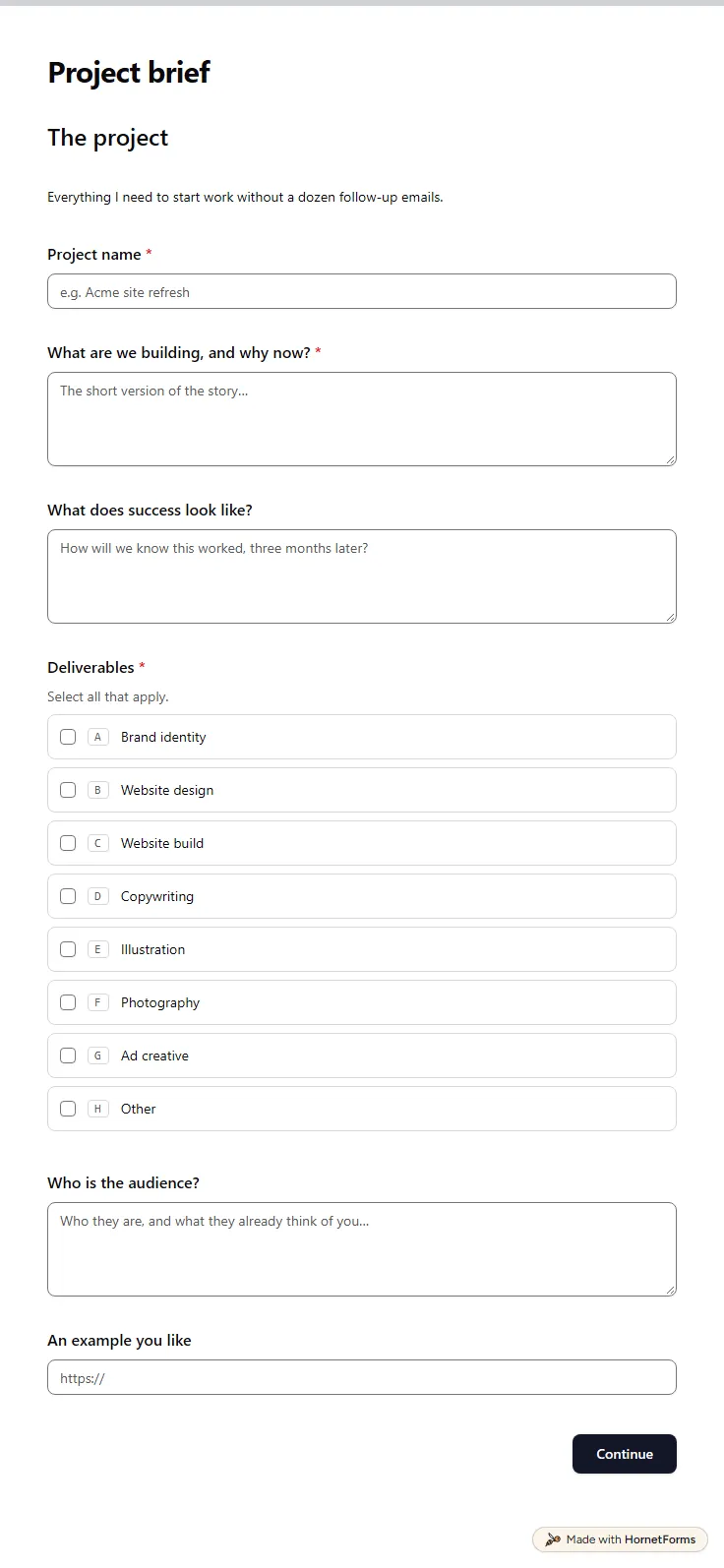
13 questions on 2 pages. Every question, in order:
| No. | Question | Answer type | Required? |
|---|---|---|---|
| 1 | Project nameShort answer, Required | Short answer | Required |
| 2 | What are we building, and why now?Long answer, Required | Long answer | Required |
| 3 | What does success look like?Long answer, Optional | Long answer | Optional |
| 4 | DeliverablesCheckboxes, RequiredSelect all that apply.Choices: Brand identity, Website design, Website build, Copywriting, Illustration, Photography, Ad creative | Checkboxes | Required |
| 5 | Who is the audience?Long answer, Optional | Long answer | Optional |
| 6 | An example you likeLink, Optional | Link | Optional |
| No. | Question | Answer type | Required? |
|---|---|---|---|
| 7 | Main point of contactShort answer, Required | Short answer | Required |
| 8 | Email for sign-offEmail, Required | Required | |
| 9 | Who signs off on the final work?Short answer, Required | Short answer | Required |
| 10 | Target launch dateDate, Required | Date | Required |
| 11 | Budget (USD)Number, Optional | Number | Optional |
| 12 | Brand assets and contentFile upload, OptionalLogos, fonts, copy, photos. Attach files that help us understand the project. | File upload | Optional |
| 13 | Anything else I should know?Long answer, Optional | Long answer | Optional |
Brief received!
I'll review it and come back with a plan and any open questions.
The same questions, ready to print or edit.
Every response lands in your HornetForms inbox. From there, send it wherever your team already works.
It is a short record of what a project should deliver, for whom, by when and for what budget. In client work it is the shared starting point you both agree on before anyone designs or writes a thing. This template collects it as a form, so the client fills it in once and you get a clean copy.
At least the goal, the deliverables, the audience, a deadline, a budget, a main contact and the name of whoever signs off. Examples the client likes and their brand files save a round of guessing. This template asks for all of these in 13 questions over two pages, and 7 of them are required.
Yes. The downloads on this page include a Word file and printable PDFs in US Letter and A4. The Word file also opens in Google Docs once you upload it to Google Drive. Use paper for a workshop or a client who likes to write by hand, and the online form when you want answers and files in one place.
A creative brief guides one piece of marketing work: the message, the tone and what the audience should do next. A project brief covers the whole job you were hired for, with deliverables, dates, budget and who signs off. A campaign often needs both, the project brief first and then a creative brief for each piece.
Ask the client, since they know the goals, the audience and the brand best. Then go through the answers together on the kickoff call and add your own notes. Their answers become your first draft, and you tidy them into the final brief once you both agree on the details.
A free client intake form for freelancers and agencies. Ask about scope, budget, timeline and past experience before the first call.
11 questions on one page
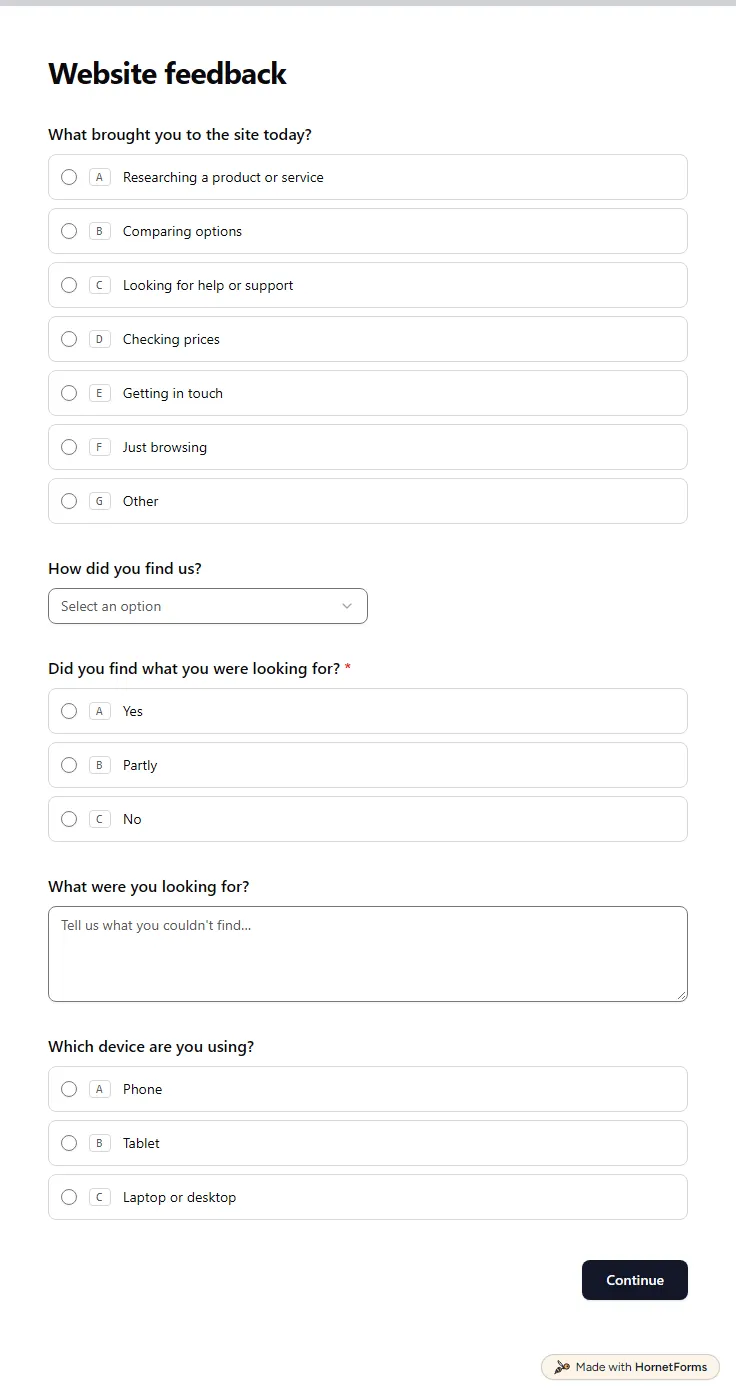
A free website survey that asks why people visit, whether they found what they wanted and which parts of the site slow them down. Embed it your way.
11 questions on 2 pages
A free creative brief template with the 10 parts every brief needs, a filled-in example, tips for video, social and print, and Word and PDF downloads.
A web design questionnaire with 35 questions in six groups, so you can quote a website with fewer surprises. Free printable and a scope worksheet.
Sign up for free, pick a template and change anything you like: questions, logic and design. The Free plan stays free forever, with unlimited responses.