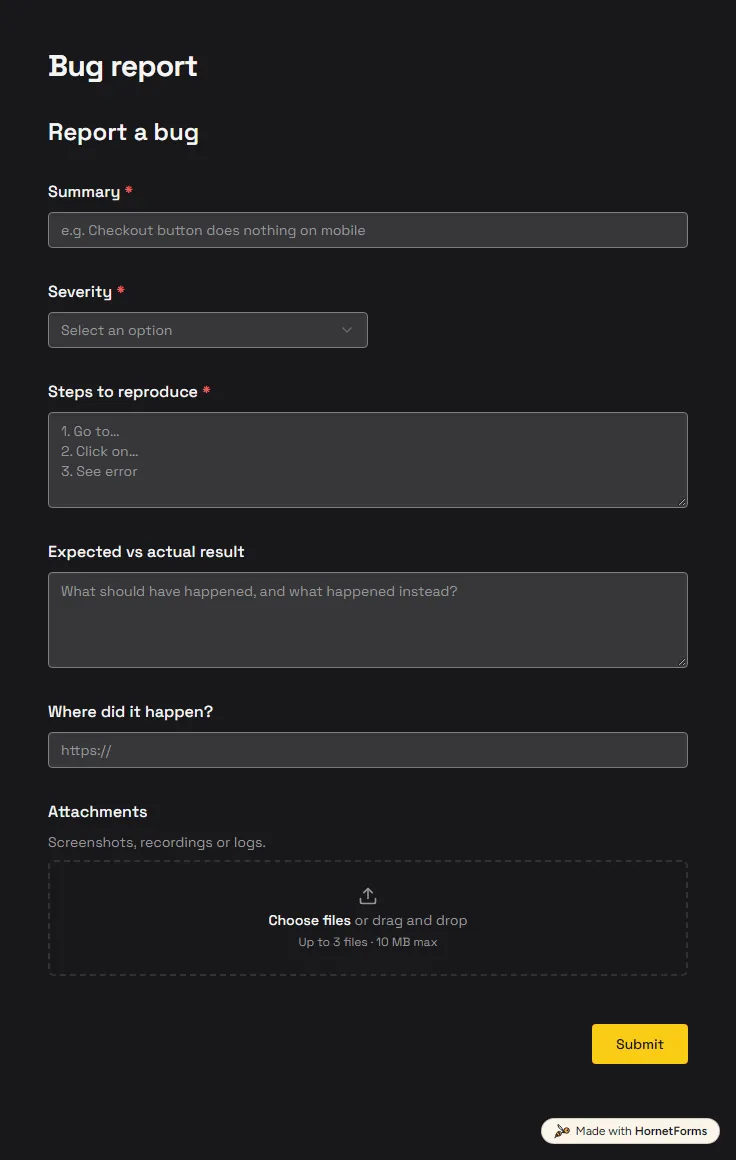
Bug report form template (free)
A free bug report form that asks for severity, steps and screenshots, and records the app version and browser from the link.
6 questions on one page
Launch week: 50% off Pro and Business with code LAUNCH50, while spots last. See pricing
When the printer dies or a login stops working, people message whoever looks techy. The details get lost, and the same problem gets reported three times. This IT support request form template gives everyone one place to ask for help. It asks for a name and email, a category and a priority. Pick Urgent, and the form asks for a phone number for a callback and makes it required. Then people describe the issue and can attach up to three screenshots. Seven questions keep it short enough to fill in on a phone while the laptop is frozen. Sign up for free, open the template and rename the categories to the problems your team really has.
Free plan, free forever. Sign up and the template opens in your workspace.
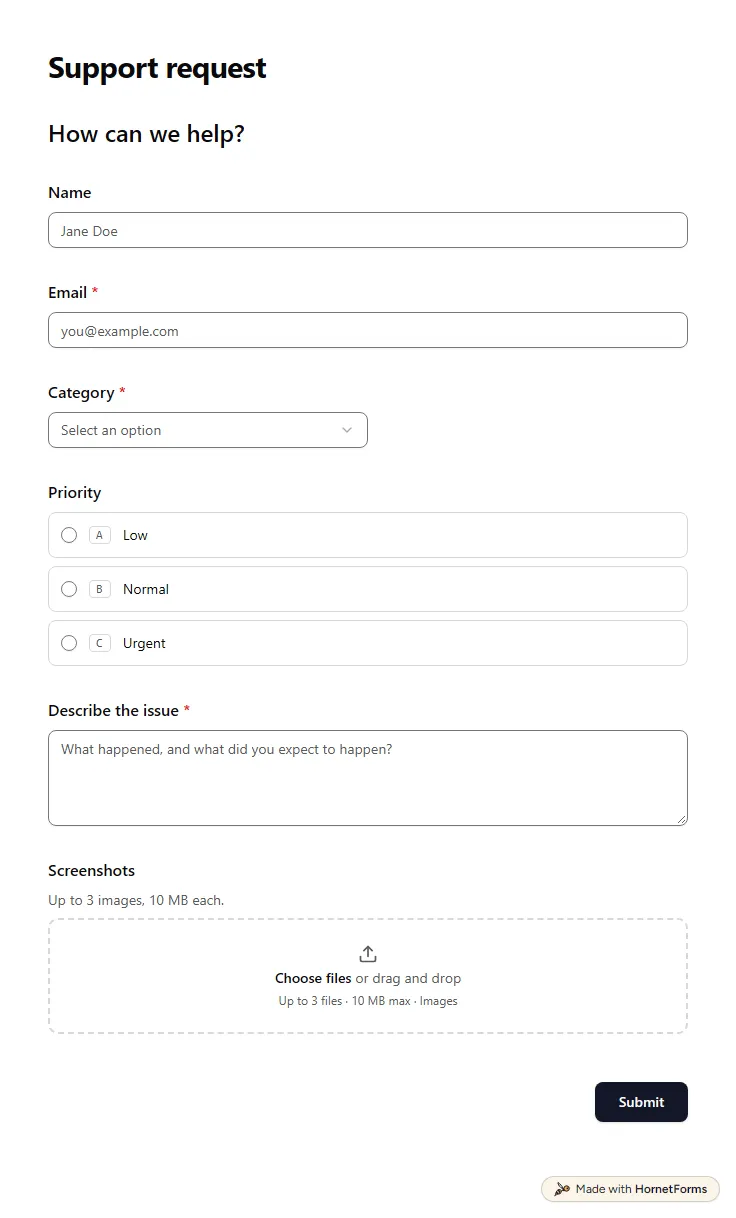
7 questions on one page. Every question, in order:
| No. | Question | Answer type | Required? |
|---|---|---|---|
| 1 | NameShort answer, Optional | Short answer | Optional |
| 2 | EmailEmail, Required | Required | |
| 3 | CategoryDropdown, RequiredChoices: Account, Billing, Technical issue, Other | Dropdown | Required |
| 4 | PriorityMultiple choice, OptionalChoices: Low, Normal, Urgent | Multiple choice | Optional |
| 5 | Phone number for urgent callbacksPhone number, OptionalWe'll call you if we need more details quickly. | Phone number | Optional |
| 6 | Describe the issueLong answer, Required | Long answer | Required |
| 7 | ScreenshotsFile upload, OptionalUp to 3 images, 10 MB each. | File upload | Optional |
Request received
Our support team will get back to you as soon as possible.
The same questions, ready to print or edit.
Every response lands in your HornetForms inbox. From there, send it wherever your team already works.
It's a request for help or for something new from whoever runs IT: a fix for a problem, a new account, access to a shared folder or new hardware. A form gives every request the same details, so you can filter them by category and priority.
Yes, that's its first job. Each request arrives as a response with its category, priority, description and screenshots. You can filter and export responses, send them to Slack, Discord or Google Sheets, and reply to the person from your own email or phone.
Yes. Download a printable PDF in US Letter or A4, or a Word file you can edit. Paper helps at a front desk, or for staff who can't get online, which is often exactly when they need IT.
Open the link your team shared, add your email, pick a category and a priority, then describe what happened and what you were trying to do. Attach a screenshot of any error. If you pick Urgent, leave a phone number so someone can call you back.
Yes. Add a Maintenance choice to the category list, for planned jobs such as a laptop swap or a software update, and a date question for when it suits the person. A show rule can reveal that date question only for maintenance.
A free bug report form that asks for severity, steps and screenshots, and records the app version and browser from the link.
6 questions on one page
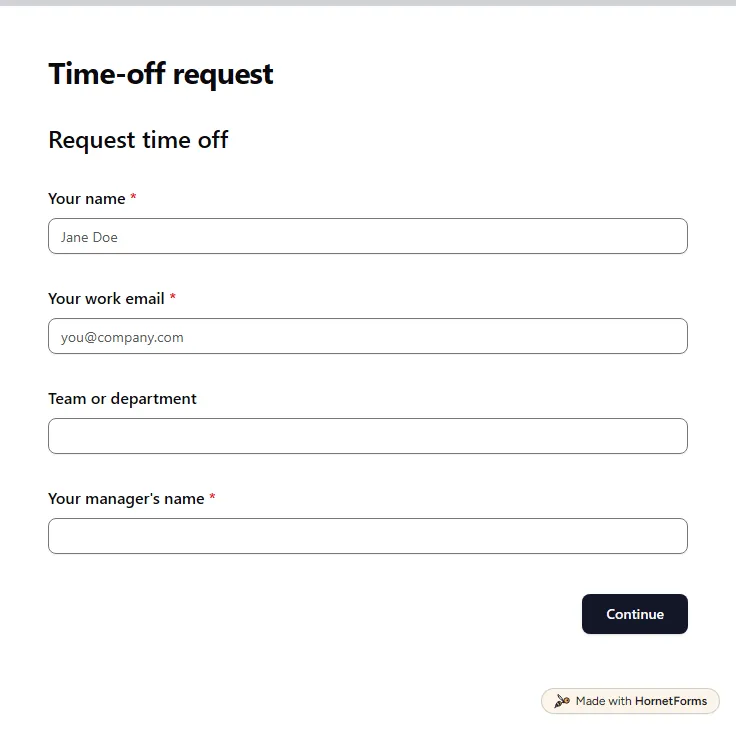
A free time off request form for PTO, vacation, sick days and half days. Staff send it from any phone, and you get each request by email.
15 questions on 3 pages
A client offboarding checklist for agencies and freelancers: two weeks out, the last week and after the end date, with an email template and a free sheet.
What to ask on a maintenance request form, how to flag urgent repairs, photo uploads, and a free printable form plus a work-order log for Excel.
Sign up for free, pick a template and change anything you like: questions, logic and design. The Free plan stays free forever, with unlimited responses.