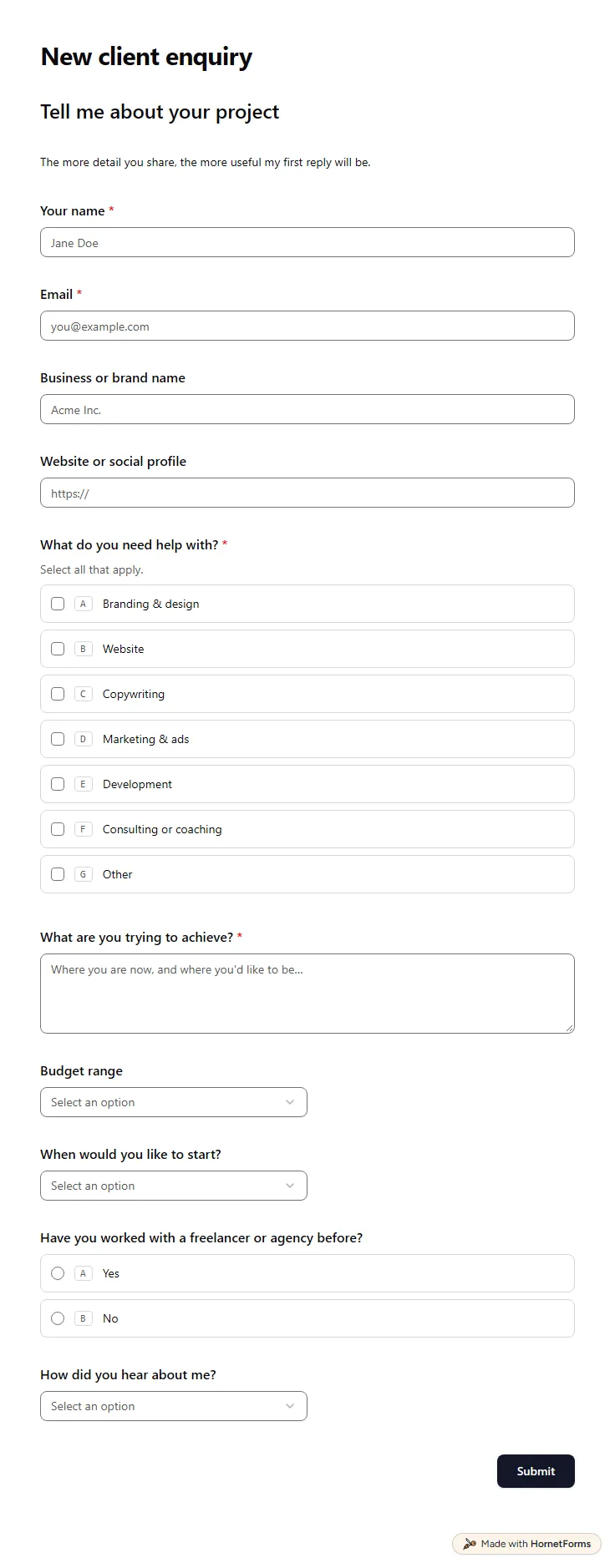
Client intake form template (free)
A free client intake form for freelancers and agencies. Ask about scope, budget, timeline and past experience before the first call.
11 questions on one page
Launch week: 50% off Pro and Business with code LAUNCH50, while spots last. See pricing
Good bug reports save hours. This bug report form template asks people for a short summary, a severity level, the steps to reproduce it and what they expected to see. They can paste a link to the page where it broke and attach screenshots, recordings or logs. Two hidden fields, app_version and browser, arrive from the link your app opens, so reporters never type them and you never have to ask. The form fits on one page and takes about two minutes. Sign up for free, open the template and change the severity levels to match your own triage words.
Free plan, free forever. Sign up and the template opens in your workspace.
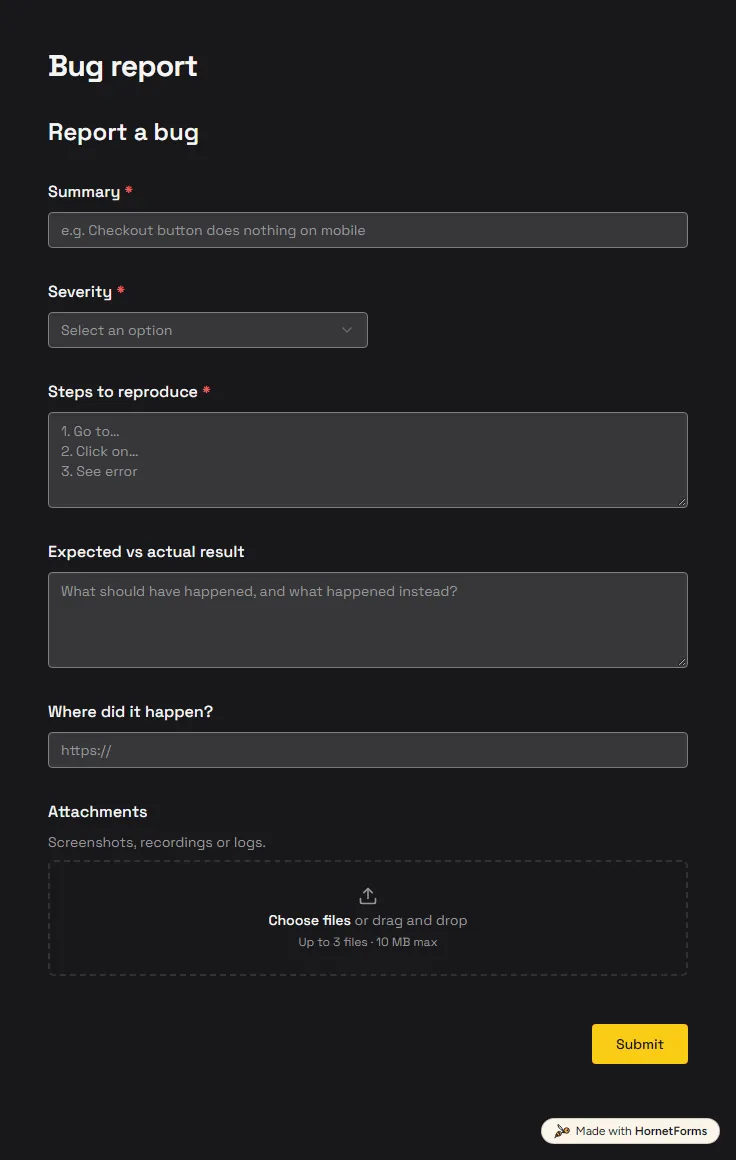
6 questions on one page. Every question, in order:
| No. | Question | Answer type | Required? |
|---|---|---|---|
| 1 | SummaryShort answer, Required | Short answer | Required |
| 2 | SeverityDropdown, RequiredChoices: Low, Medium, High, Critical | Dropdown | Required |
| 3 | Steps to reproduceLong answer, Required | Long answer | Required |
| 4 | Expected vs actual resultLong answer, Optional | Long answer | Optional |
| 5 | Where did it happen?Link, Optional | Link | Optional |
| 6 | AttachmentsFile upload, OptionalScreenshots, recordings or logs. | File upload | Optional |
Thanks for the report!
We'll investigate and follow up if we need more details.
Hidden fields it reads from the link: app_version, browser
Every response lands in your HornetForms inbox. From there, send it wherever your team already works.
They are hidden fields. The link carries their values, so the reporter sees nothing extra and you still get both in every response. They help you match a bug to a release and a browser without writing back to ask.
Yes. The attachments question accepts up to 10 files, and you can limit the allowed file types. Its description tells people they can add screenshots, recordings or logs, so most reports arrive with proof.
Three: a summary, a severity and the steps to reproduce. The expected and actual result, the page link and the attachments stay optional, so a quick report still gets through without blocking busy people.
This form is built for faults. A feature request has different questions, such as the problem and the benefit, so keep a separate form for ideas and link to both from your help page.
A free client intake form for freelancers and agencies. Ask about scope, budget, timeline and past experience before the first call.
11 questions on one page
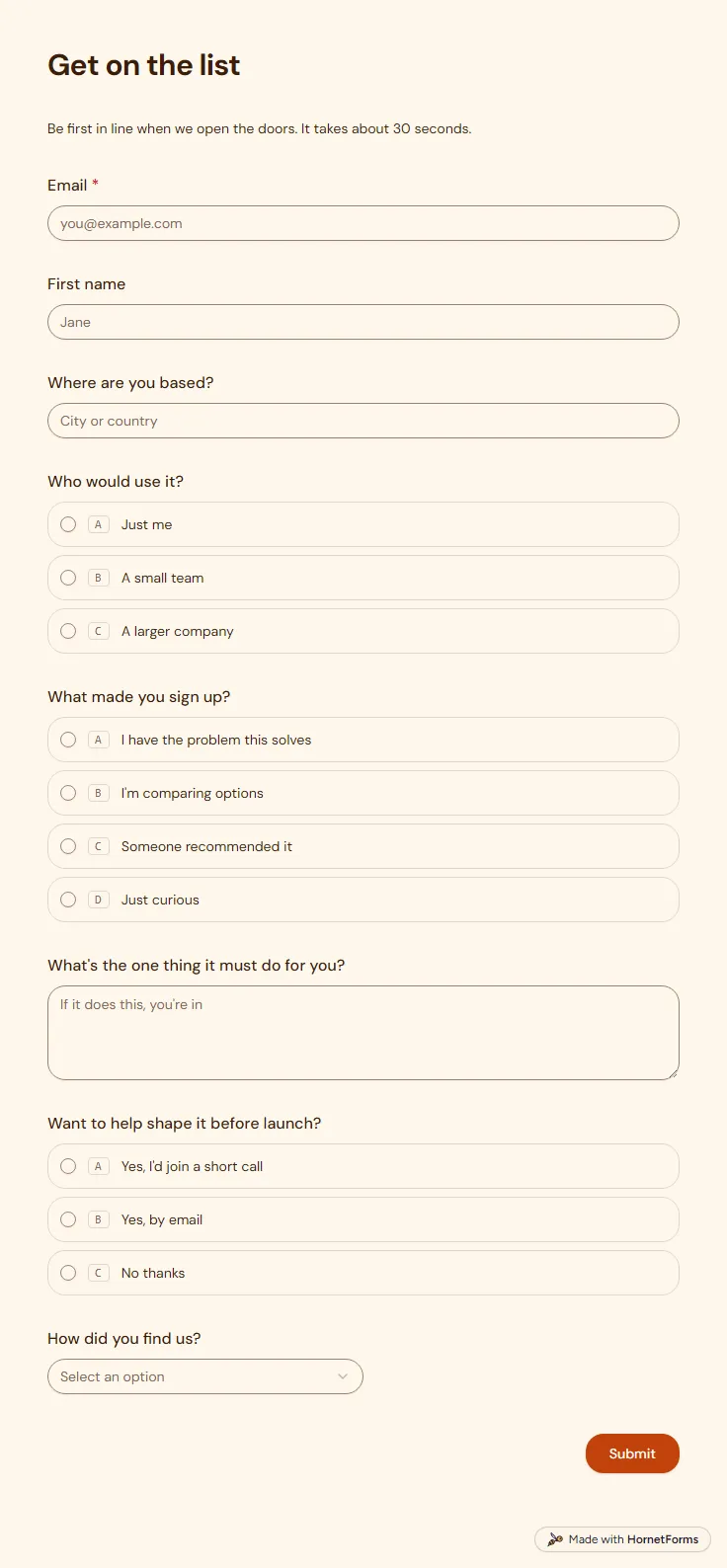
A free waitlist form that records which link sent each sign-up and asks what people need, so your list is useful on launch day.
8 questions on one page
A free feature request form template that asks for the problem, stamps each request with who asked, and sorts the pile in a free triage sheet.
Sign up for free, pick a template and change anything you like: questions, logic and design. The Free plan stays free forever, with unlimited responses.